
Managing and issuing electronic certificates has become a crucial task for educational institutions, businesses, and training centers. Therefore, Certifier is known as a platform for creating and managing digital certificates entirely online, automating the certification process professionally and easily. This article will delve into a detailed analysis of Certifier , its outstanding features, and compare it with competitors to help you determine if this platform is truly worth investing in.
1. Quick Introduction
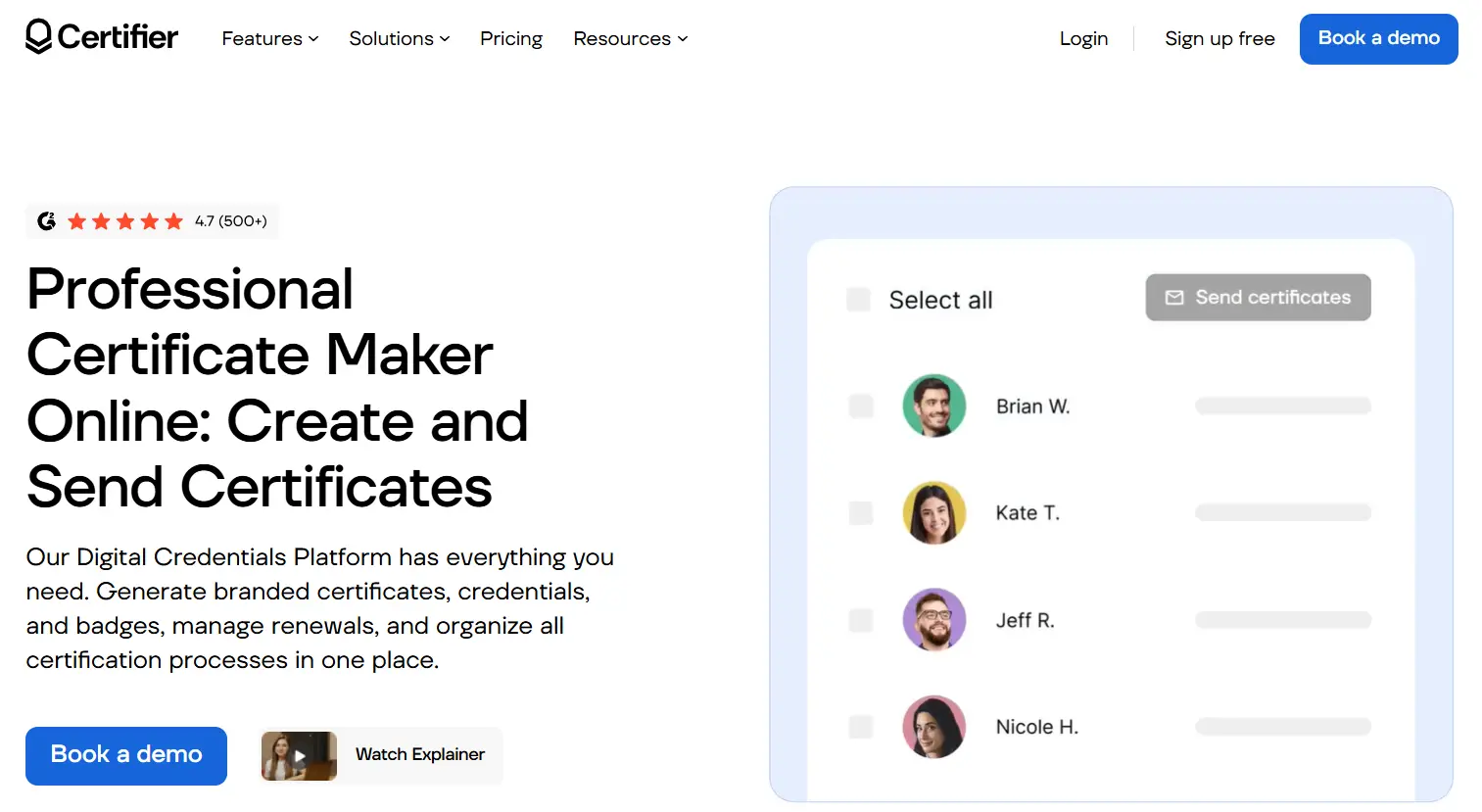
Digital certificate creation and management platforms are becoming increasingly popular in training organizations, businesses, and educational institutions. With the advancement of technology, issuing, verifying, and sharing certificates is no longer as difficult as it once was. Traditional manual methods using paper or PDFs are often time-consuming, prone to errors, and difficult to verify authenticity. Therefore, digital platforms like Certifier have emerged to optimize this process, making everything faster, more automated, and more secure.
Limitations of traditional methods
In the past, certificate issuance often relied on PDF files or printed paper, making verification difficult, especially when certificates were forged or lost. The manual issuance process also led to numerous errors, such as incorrect recipient names, dates, or inconsistent content. Furthermore, organizations lacked long-term certificate storage systems, resulting in difficulties in management or retrieval when needed.
The emergence of digital platforms
To address these issues, digital credentials systems like Certifier have emerged. Digital technology not only automates the entire issuance process but also provides quick authentication tools via QR codes or unique URLs. This makes certificates easy to verify authenticity, share as links or QR codes, and enhances the credibility and professionalism of the issuing organization.
Preliminary assessment & quick verdict
Overall, Certifier is highly rated with a score of approximately ⭐ 4.7/5 based on user feedback. The platform is best suited for training organizations, HR departments, businesses, or schools looking to automate and enhance professionalism in issuing and managing digital certifications. The good news is, if you're looking for a comprehensive solution to automate certification, Certifier is definitely worth considering .
2. What can this tool do?
Certifier's primary goal is to provide an optimal platform for creating, submitting, and managing digital certificates automatically and professionally. This helps organizations minimize time, manpower, and errors in the certificate issuance process. Furthermore, the platform facilitates easy certificate verification, sharing, and lifecycle tracking within the system.
Common Certifier use cases
Businesses and organizations frequently use Certifier for various purposes. Typical examples include issuing certificates of course completion, internal training certifications, or skill badges and professional certifications after workshops and seminars. Additionally, certification programs from large organizations or businesses are well-suited to this platform, helping to ensure the authenticity and effective tracking of training programs.
Target user groups
It's not just educational institutions or large businesses that value certification. Smaller training centers, startups, or individuals can also leverage the advantages of certification to build their brand, enhance the value of their certifications, and reduce the burden of manual management. Furthermore, professional communities, associations, and non-governmental organizations are increasingly digitizing certifications for greater transparency and professionalism in the issuance process.
Value added from automation technology
Automation is a key factor that makes Certifier stand out. From setting up certificate templates and uploading recipient lists to enabling bulk certificate creation, and automating email sending and QR code verification, everything is handled quickly. This helps organizations save time and minimize the risk of errors, resulting in greater accuracy with each certificate issuance.
Future and development trends
With strong digital transformation trends, platforms like Certifier can also integrate with LMS systems, cloud services, or human resource management software. This makes managing and monitoring the effectiveness of training activities easier, contributing to the development of advanced training programs that meet the demands of an increasingly competitive and constantly evolving labor market.
3. Features & Technology
To meet the diverse needs of users, Certifier is equipped with a powerful suite of features and integrated advanced technology to make the process of creating and managing certificates simpler and more efficient than ever before. Below is an overview of the core features and key technologies of this platform.
The core features of Certifier
AI Certificate Generator: This is one of the platform's unique features. The tool uses artificial intelligence to automatically generate professional certificates that can be personalized with names, dates, and training content, without requiring graphic design skills. Users simply input data or upload lists, and the system will automatically generate visually appealing and accurate certificates.
Bulk Certificate Generator: This feature allows organizations to create and send certificates in bulk simultaneously with a single simple operation. It's ideal for large training programs or events with a high number of attendees. This automated process shortens time and minimizes errors compared to manual methods.
Digital Badges (OpenBadge 3.0): In the trend of digital skills certification, digital badges have become the new standard. Certifiers supporting the OpenBadge 3.0 standard make these badges easily visible and shareable on platforms like LinkedIn, personal websites, or profiles. This increases transparency and allows certification recipients to showcase their skills visually.
Credential Portal (white-label): A separate interface for users to view, download, or validate their certificates. With the ability to customize it to the organization's brand, the white-label portal helps build a professional image and enhance the credibility of the certification system.
Credential Renewal & Expiration: This function tracks expiration dates and automatically reminds recipients to renew their certificates, ensuring continuous up-to-date information. This is ideal for fields requiring continuous certification maintenance, such as professional, medical, and technological fields.
Verification & QR Code: Certificates are issued with a QR code or verification URL, allowing users to quickly check the certificate via phone or computer. This feature increases authenticity, minimizes fake certificates, and enhances the credibility of the issuing organization.
Analytics & Tracking: Statistics on certificate views, downloads, or shares help comprehensively manage certificate issuance activities. Through this data, organizations can adjust and optimize their training and communication strategies.
Advanced technology and integration
AI and automation: The platform uses artificial intelligence to personalize certificates, shortening design time. This technology also helps detect suitable certificate templates and optimize the user experience.
Cloud-based SaaS (AWS): This system operates on Amazon Web Services' cloud computing platform, ensuring high speed, stability, and easy scalability. Customers can access it flexibly from anywhere, on any device.
High security: Supports security standards such as ISO 27001 and GDPR to ensure data security and user privacy. This is a major advantage for organizations with high requirements for personal information security and digital certificates.
Permanent online storage: Certificates are securely stored and easily accessible via URL or portal. Recipients can re-download, share, or check them at any time, minimizing data loss.
Integrations and APIs
Businesses can integrate Certifier via API, Webhook, or services like Zapier, Make, and Pipedream to automate processes or synchronize data with other systems. Additionally, it offers the ability to export data in PDF or CSV format, or create URL lists for marketing campaigns or internal management.
4. Real-world experience
Upon experiencing **Certifier** firsthand , users will clearly appreciate its intuitive and user-friendly interface, as well as the system's output quality. The development team has paid great attention to creating a user-friendly workspace suitable even for those without technical expertise.
User interface and experience
The clear dashboard, divided by certificate types, badges, and recipients , makes it easy for users to track and manage all activities. New users can adapt easily thanks to the simple, intuitive operation buttons, especially the drag-and-drop Certificate Builder feature . This allows many small organizations or individuals, without needing graphic design or programming skills, to create beautiful, standardized certificates.
Output quality
Certificates created by Certifier feature a beautiful, professional design that aligns with the brand. Each certificate includes a separate verification page via URL or QR code, allowing recipients to easily share or verify it instantly. This feature enhances the credibility of companies, training organizations, or educational centers using the platform.
Outstanding advantages
- Powerful automation: The program automatically generates certificates, sends them automatically, and tracks the lifecycle.
- Certificate and badge support: Suitable for a variety of purposes in training and skills development.
- Professional interface: White-label portal, easily customizable to your needs.
- Suitable for all sizes: from small, medium to large businesses or organizations.
Disadvantages and limitations
However, initial setup can be time-consuming if the organization's processes are quite complex. In particular, compared to simpler certificate creation software, Certifier is more expensive due to its integrated features and intelligent AI. Therefore, organizations need to carefully consider this factor before making a decision.
5. Cost of use
In terms of cost, Certifier offers a variety of packages based on customer needs and scale, from free to premium paid options. The primary target customers are organizations and businesses looking to leverage the full potential of the platform to improve certification quality.
| Criteria | Starter | Professional (Most Popular) | Advanced |
|---|---|---|---|
| Price | $0 (free forever) | $79/month | $399/month |
| Annual issuing limit | 250 certificates/badges | 1000 certificates/badges | 3000 certificates/badges |
| Templates library | ✅ | ✅ | ✅ |
| Certificate & badge editor | ✅ | ✅ | ✅ |
| Mass issuing & delivery | ✅ | ✅ | ✅ |
| PDF certificate printing | ✅ | ✅ | ✅ |
| Social media sharing | ✅ | ✅ | ✅ |
| LinkedIn credentials | ✅ | ✅ | ✅ |
| Verifiable certificates/badges | ✅ | ✅ | ✅ |
| API & Integrations | ✅ | ✅ | ✅ |
| Branded emails | ❌ | ✅ | ✅ |
| Scheduled issuing | ❌ | ✅ | ✅ |
| Expirable credentials | ❌ | ✅ | ✅ |
| Advanced Analytics | ❌ | ✅ | ✅ |
| QR code verification | ❌ | ✅ | ✅ |
| Custom email sender | ❌ | ✅ | ✅ |
| Premium branding | ❌ | Add-on | ✅ |
| Verified status | ❌ | Add-on | ✅ |
| Custom users with roles | ❌ | ❌ | 7 users |
| Custom patients | ❌ | ❌ | ✅ |
| Custom domain | ❌ | ❌ | ✅ |
| Credentials Portal | ❌ | ❌ | ✅ |
| Dedicated Account Manager | ❌ | ❌ | ✅ |
| Premium customer support | ❌ | ❌ | ✅ |
| Security & Compliance Support | ❌ | ❌ | ✅ |
| Multiple workspaces | ❌ | ❌ | Add-on |
Value for money assessment
It's well worth the investment if your organization needs to issue a large number of certificates, provide long-term validation, or integrate automated systems. The cost will clearly reflect the benefits through time savings, reduced errors, and enhanced brand reputation.
Conversely, if only a few certificates need to be created manually, without the need for automation features, simpler platforms may be more cost-effective. This requires organizations to clearly assess their goals and usage frequency to choose the most suitable package.
6. Comparison & Alternatives
To get a comprehensive view of **Certifier** , it's essential to compare it with other platforms like Credly, Accredible, or Sertifier. Each platform has its own advantages suitable for different types of organizations.
Certifier vs Credly Comparison
Credly is one of the most popular certificate systems, focusing on broad integration and ease of use. However, Certifier stands out for its automated AI technology, sharp customization capabilities, and API integration flexibility, making it suitable for organizations seeking complete control over the issuance and validation process.
Certifier vs Accuredible
Accredible is typically geared towards large enterprises, offering robust integration capabilities and advanced authentication systems. Certifier, on the other hand, is more user-friendly in design, easier to operate, and particularly suitable for startups or medium-sized organizations looking to maximize process automation.
Choose the right platform
If your organization needs a robust authentication system, high customizability, and comprehensive management, Certifier is a worthwhile option. While platforms like Credly or Accredible are more suitable for large enterprises that require seamless integration with other systems and target international markets.
7. Final Conclusion
Certifier is recommended if your goal is a professional, automated, secure, and easily scalable digital certificate platform. It helps organizations minimize manual labor, optimize processes, and enhance brand image through aesthetically pleasing, clearly authenticated, and easily verifiable certificates.
However, if you only need to generate a single certificate or don't require automated, complex validation, lighter, cheaper software will be more suitable. Therefore, clearly defining your needs and usage goals is crucial before making a decision.
To get started, organizations or individuals can sign up for a free trial or book a demo to experience the platform's features. This will give you a realistic view of how well it suits your needs.